
Photo first
Snap the meal while it is still at the table, then add detail only when it matters.
AI meal logging
Dishiary uses AI as a shortcut for food journaling on iPhone: start with a photo, voice note, or typed note, then keep the editable record.
Photo to diary
Save the image, suggested dish, grade, notes, tags, and restaurant context in one private timeline.
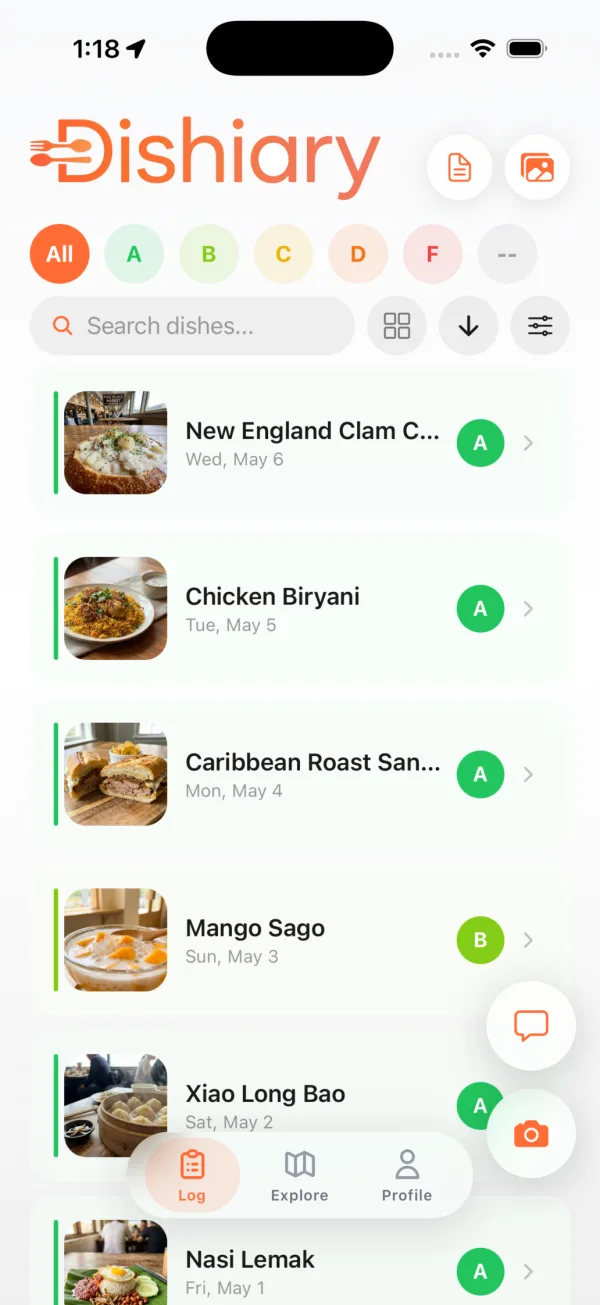
The product model stays simple: meals are records you can edit, search, revisit, and attach to places.
Snap the meal while it is still at the table, then add detail only when it matters.
Capture dish names and context without typing during dinner.
AI suggestions are drafts, so the diary stays trustworthy and personal.
Use this feature page for searches around AI meal logging and photo food journal workflows.
For broader category intent, visit the meal journal app page.
For people avoiding diet-tracker positioning, link them to food journal without calories.
Short answers for people comparing food diary, meal journal, and restaurant memory apps.
Yes. Dishiary can use meal photos as a shortcut for creating editable meal records, including the dish name and useful context.
No. You can log by typing, voice, or photo. AI is a convenience layer, not the only way to keep your diary.
Yes. AI output is treated as a draft, so you can edit the dish, grade, note, place, tags, and other details.
Photo, voice, or note. Keep the detail you will actually want later.